Give it a goal, a list and a budget.
Choose a north-star metric. The Strategist breaks it into sub-goals for every agent and runs until it generates pipeline. Set:
- Who to target
- Which specialists to use
- Credits to spend
- Vortel’s limits
Prospect, write, send, reply and book. Inside the limits you set once.
The entire motion into one system, without disconnected tools or manual handoffs.
Find
01
Understand
02
Decide
03
Engage
04
Adapt
05
Convert
06
Measure
07
Vortel builds and sizes your target universe from structured company and people data, using industry, size, location, funding, revenue, seniority, role, and more.
It finds the right people, removes duplicates, and organizes them into static or dynamic groups. You set the criteria. Vortel decides who enters each strategy.
Vortel builds each lead record from 60+ fields, then fills missing work email, personal email, and phone data through waterfall enrichment.
It adds research, activity history, conversations, and your Company Brain, giving every agent the context to understand the lead and the conversation.
Vortel evaluates ICP Score, lead and company data, group logic, engagement, and your rules to determine who qualifies and what happens next.
Workflows branch on opens, clicks, replies, connection acceptance, approvals, and other signals. Policies control when Vortel proceeds, waits, or involves a human.
Vortel turns qualified leads into workflows of up to 20 steps or launches one-time outreach. It writes and sends email and LinkedIn outreach, makes calls, follows up, responds, and books meetings.
Sending limits, warmup, working hours, approval gates, and channel safety rules keep execution within your boundaries.
New replies, engagement, data, and other signals feed back into the motion. Vortel can change the path, reprioritize, wait, pause, or hand off.
Agent memory carries lead context across workflows and campaigns. Dynamic groups and fresh enrichment keep the underlying data current.
When a prospect responds, Vortel reads the conversation in context and determines what the response requires. It can answer, draft, hand off, or move toward booking.
When the prospect is ready, it checks real calendar availability and books the meeting. The lead updates automatically, and the meeting can create a pipeline opportunity.
Sent, delivered, replied, booked, and what each one cost.
Every action Vortel takes lands in a report you can read in a minute, so you know what it did for you and how well it worked.
Six specialized agents working together across one connected system.
Turns your revenue goal into a plan using your Company Brain, live data, lead context, and campaign history.
Works in Copilot mode or executes autonomously within your rules. Coordinates the specialist agents, delegating prospecting, research, content, and workflow execution as needed.
Approval gates, policies, autonomy settings, and a stop control determine what it can execute independently.
Searches through vast amounts of company and people data to find the strongest matches for your ICP.
Starts with the right companies, then identifies the people, roles, and characteristics that fit your criteria.
Sizes the market before data spend and continuously builds qualified target lists. Enriches missing contact information through a waterfall across email and phone data.
Manages Company Brain knowledge across ICP, personas, product, value proposition, proof, pricing, tone, objections, and company knowledge.
Researches the web with citations and creates, updates, moves, and organizes knowledge documents.
Version history keep production knowledge current.
Retrieves the relevant knowledge agents need without requiring them to search the entire library.
Works through your Company Brain, tone, goals, positioning, proof, and objections to understand what your message needs to accomplish.
Then checks each lead's context, background, activity, and conversation history to tailor the message to the person.
Creates email and LinkedIn messaging for initial reach outs, follow-ups, and workflows.
It keeps every step connected so the right action happens at the right time, without you having to manage the workflow manually.
Turns your goal into a complete, executable workflow, determining the actions, sequence, timing, data, conditions, and dependencies.
Builds and compiles the workflow while validating its logic, variables, and safeguards before it runs.
Once activated, it manages the motion, including triggers, delays, conditions, retries, and execution.
Reads the full conversation, lead history, and Company Brain to understand what the prospect needs next.
It can respond, draft a reply, hand off to a human, or move the conversation toward a meeting.
Checks policy controls before acting, including any reply limits, opt-outs, cooldowns or sensitive topics.
When a meeting is the right next step, it checks real calendar availability and books it directly.
Strategist
The one you talk to.

vortel
®
Prospector
Builds the list.

vortel
®
Librarian
Keeps your Brain current.

vortel
®
Marketer
Writes the message.

vortel
®
Operator
Builds the workflow.

vortel
®
Responder
Handles the reply.

vortel
®
Every message is written against your Brain, and the agents that read it also keep it current.
Eight typed document types, each with its own schema.
Every save writes a version. Only live docs ground production copy.
Agents receive whole documents, never embedding fragments.
Reading and writing the Brain costs zero credits.
Who is worth contacting at all.
The ICP is the filter every agent runs before it spends a credit. It is not a wish list. It is the shape of an account you can actually win, written down once, so the Prospector stops guessing and the Marketer knows who it is talking to.
EXAMPLE · HALCYON
INDUSTRY
Insurance, banking and industrial groups with a field sales force
COMPANY SIZE
5,000 employees and up, 20 or more regional offices
GEOGRAPHY
United States, headquarters east of the Mississippi
BUYING SIGNAL
A new VP of Sales, or a typewriter-replacement budget line
DISQUALIFY
Companies standardized on mainframe terminals for the next three years

ICP
Who you are actually talking to.
An account does not sign anything; a person does. The Persona doc holds the human inside the account: what they own, what they are measured on, and what makes them stop reading. The Marketer writes to this, not to the company.
EXAMPLE · HALCYON
TITLE
Vice President of Sales, or Director of Sales Operations
OWNS
The regional offices, the quota, and the equipment budget
MEASURED ON
Proposals out the door per week, and orders booked
DAILY FRICTION
Forty reps, forty typewriters, and one shared computer nobody uses
STOPS READING WHEN
The letter talks about kilobytes instead of quotas

PERSONA
What you sell, in your own words.
Left to itself a model will describe your product the way it describes every other product. This doc is the version you would say out loud: the mechanism, the proof it works, and the line you will not cross.
EXAMPLE · HALCYON
WHAT IT IS
A machine a salesperson can run on day one, with no manual
MECHANISM
The software does the work: point, click, print the proposal
PROOF
A regional office cut proposal turnaround from a week to a day
WE DO NOT CLAIM
That it replaces the mainframe. It sits next to it

VALUE PROP
PRODUCT
The evidence an agent is allowed to cite.
Agents cite what you give them and nothing else. A Proof doc is a specific, permissioned story: who, what changed, over how long, and whether the name may be used. Nothing outside this folder reaches a message.
EXAMPLE · HALCYON
ACCOUNT
A national insurance group, 60 regional offices, 1,200 field reps
SITUATION
Proposals typed and retyped, quotes by phone, two weeks to answer a customer
RESULT
One Megatash per office. Proposals out in a day, six weeks after delivery
NAME USABLE
No, describe by category only

CASE STUDY
What it costs, and what is negotiable.
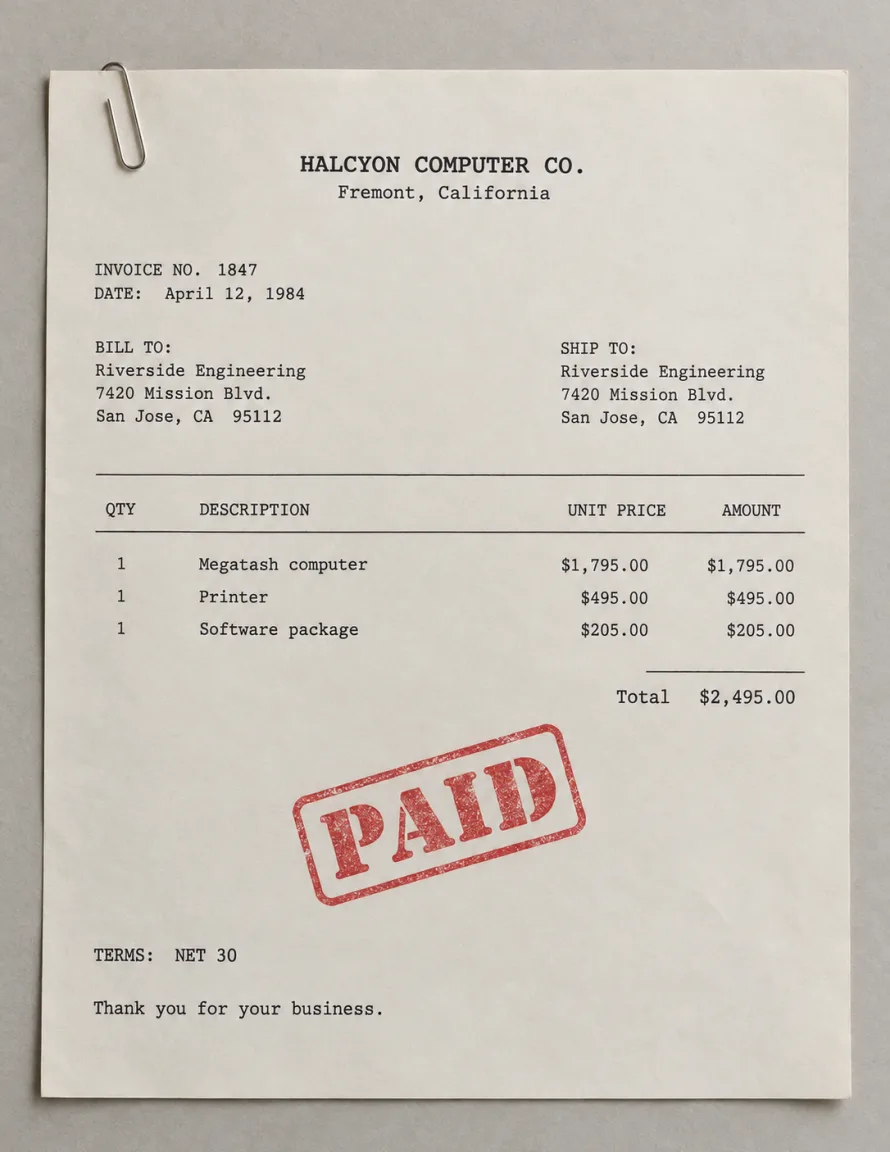
The fastest way to lose a deal in an inbox is to improvise a number. This doc sets what is published, what is a range, and what has to go to a person, which is exactly what the Responder checks before it answers a pricing question.
EXAMPLE · HALCYON
PUBLISHED
$2,495 per machine, printer and software included
BILLING
Invoiced on delivery, net 30. Leasing through a partner
NEGOTIABLE
Volume above 50 machines, and on-site training
ESCALATE
Any discount past 12 percent, and multi-year support
PRICING &
PACKAGING
How you sound, and how you never sound.
Tone is the difference between a message that reads as yours and one that reads as generated. This doc is prescriptive in both directions: the moves that sound like you, and the ones that are banned outright.
EXAMPLE · HALCYON
VOICE
Plain and specific. We talk about the work, not about the machine
SENTENCE LENGTH
Short. One idea per sentence
ALWAYS
Show a real proposal on a real screen
NEVER
Specs first, jargon, or fear of falling behind

TONE & STYLE
GUIDE
What to say when they push back.
Every objection you have already answered a hundred times lives here, with the answer you actually use. The Responder reads this before it replies, and anything not in here escalates to a person instead of being invented.
EXAMPLE · HALCYON
OBJECTION
“My reps will never learn to use a computer.”
SHORT ANSWER
If you can point, you can use a Megatash. Nobody reads the manual
PROOF TO CITE
The insurance group: 1,200 reps, six weeks
IF IT PERSISTS
Send a machine for a week. Do not send a third letter

OBJECTION
HANDLING
The rest of the story, on the record.
Everything true about the company that does not belong in the other seven: how long you have been at it, who owns you, where you operate, and what you will not do. It is the fallback an agent reads when a question fits nowhere else.
EXAMPLE · HALCYON
FOUNDED
1979, in a rented garage in Fremont, California
FOUNDERS
Ruth Adler and Tomas Vey
OPERATES IN
United States and Canada, 214 employees
WILL NOT DO
Mainframes, custom hardware, or selling to consumers

COMPANY
KNOWLEDGE
Prospect, write, send, reply and book. Inside the limits you set once.
Prospect, write, send, reply and book. Inside the limits you set once.
Found 84 founders inside 61 firms and drafted the first touches. All 84 are waiting on your approval. Nothing has sent.
Prospect, write, send, reply and book. Inside the limits you set once.
Found 84 founders inside 61 firms and drafted the first touches. All 84 are waiting on your approval. Nothing has sent.
The entire motion into one system, without disconnected tools or manual handoffs.
Find
01
Understand
02
Decide
03
Engage
04
Adapt
05
Convert
06
Measure
07
Vortel builds and sizes your target universe from structured company and people data, using industry, size, location, funding, revenue, seniority, role, and more.
It finds the right people, removes duplicates, and organizes them into static or dynamic groups. You set the criteria. Vortel decides who enters each strategy.
Vortel builds each lead record from 60+ fields, then fills missing work email, personal email, and phone data through waterfall enrichment.
It adds research, activity history, conversations, and your Company Brain, giving every agent the context to understand the lead and the conversation.
Vortel evaluates ICP Score, lead and company data, group logic, engagement, and your rules to determine who qualifies and what happens next.
Workflows branch on opens, clicks, replies, connection acceptance, approvals, and other signals. Policies control when Vortel proceeds, waits, or involves a human.
Vortel turns qualified leads into workflows of up to 20 steps or launches one-time outreach. It writes and sends email and LinkedIn outreach, makes calls, follows up, responds, and books meetings.
Sending limits, warmup, working hours, approval gates, and channel safety rules keep execution within your boundaries.
New replies, engagement, data, and other signals feed back into the motion. Vortel can change the path, reprioritize, wait, pause, or hand off.
Agent memory carries lead context across workflows and campaigns. Dynamic groups and fresh enrichment keep the underlying data current.
When a prospect responds, Vortel reads the conversation in context and determines what the response requires. It can answer, draft, hand off, or move toward booking.
When the prospect is ready, it checks real calendar availability and books the meeting. The lead updates automatically, and the meeting can create a pipeline opportunity.
Sent, delivered, replied, booked, and what each one cost.
Every action Vortel takes lands in a report you can read in a minute, so you know what it did for you and how well it worked.
A mission you configure once, a gate on everything that leaves the building, and four channels including the phone.
Choose a north-star metric. The Strategist breaks it into sub-goals for every agent and runs until it generates pipeline. Set:
External actions pause for your approval, with a clear summary of what will happen and who it will reach.
Four channels on one system, and the phone is the one that is hard to build. Vortel places the call for you and files the recording, the transcript and the outcome. Voice is the half of outbound most teams cannot staff.
One credit ledger. One workflow engine. One audit trail.
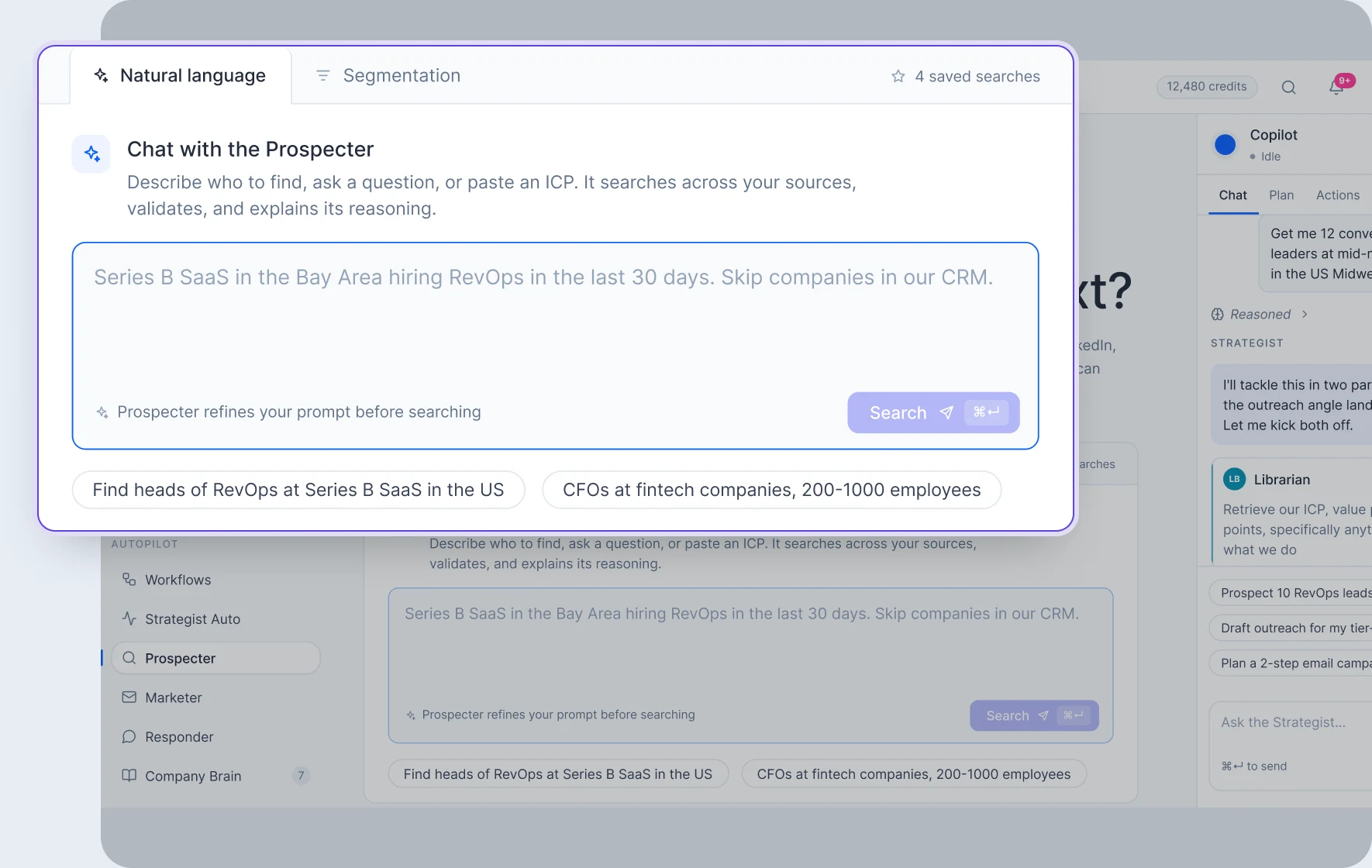
Ask how many companies match your ICP as many times as it takes. Sizing is free. Then search companies first, and the people inside them second.
A per-tenant ceiling caps every pull. One agent cannot burn a month.
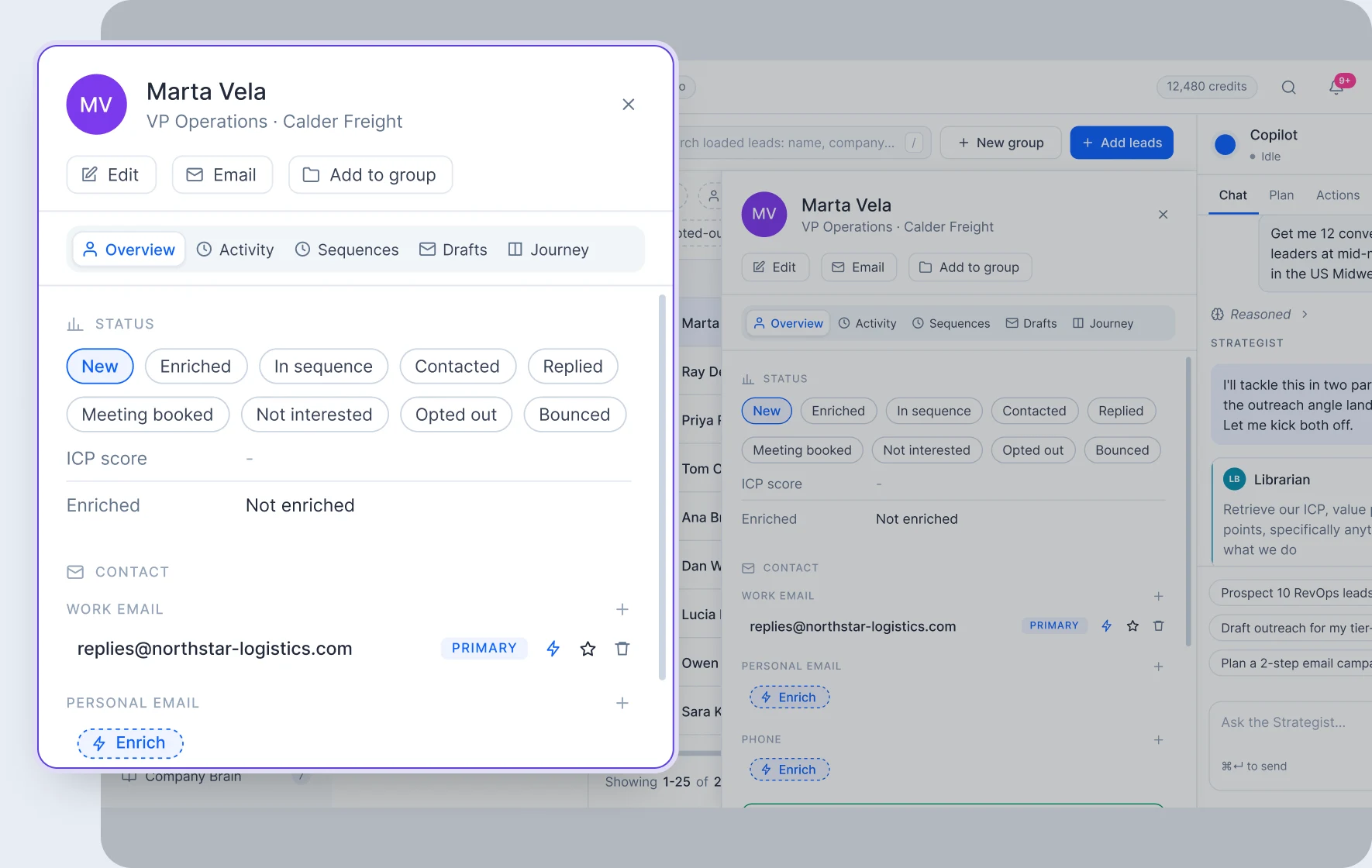
Open a lead and the whole file is there: status, ICP fit, activity and thread. Waterfall enrichment fills work email, personal email and phone.
A field that came back empty greys out. You are never charged twice.
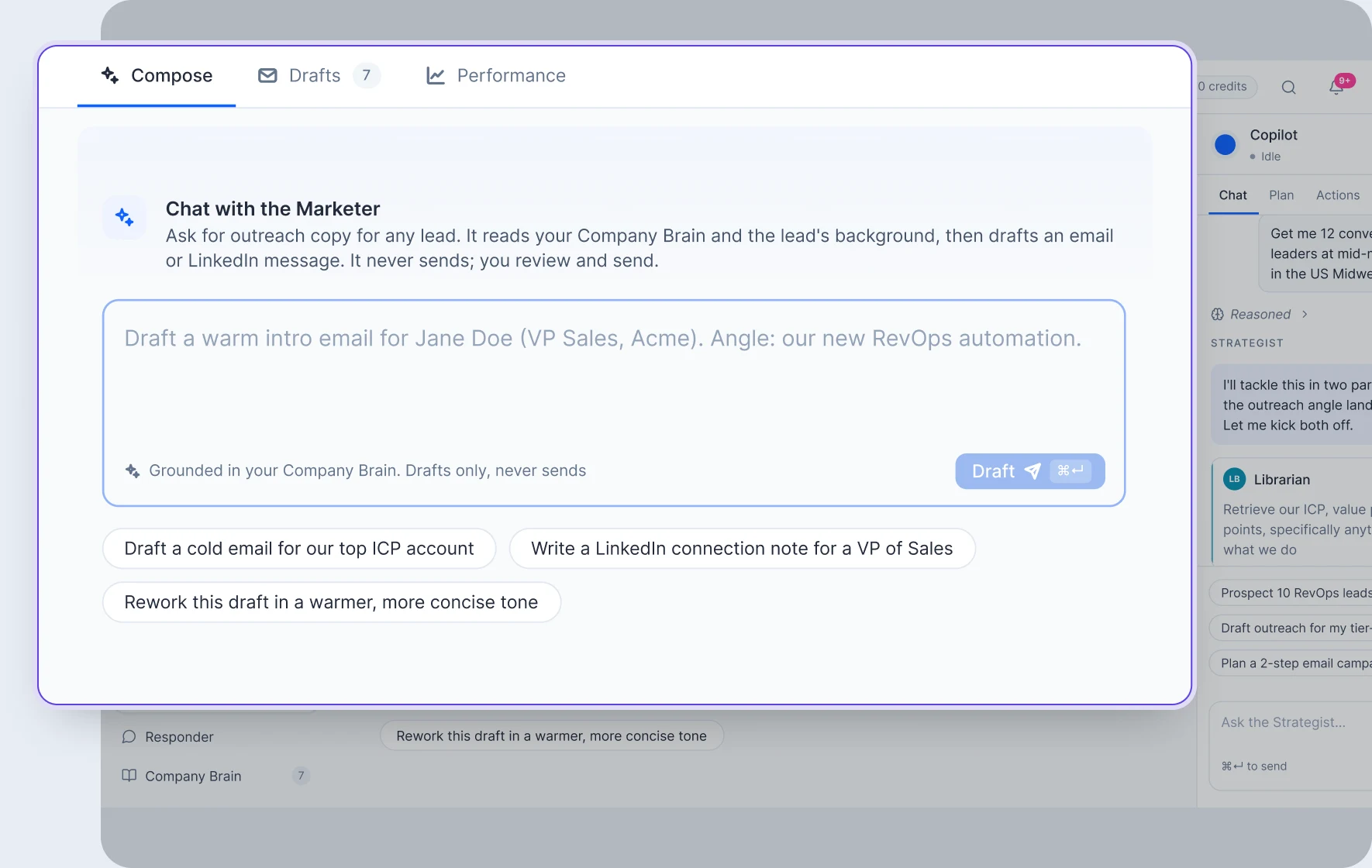
The Marketer opens the lead, the activity history and the existing thread, then writes against your live Brain documents. Every draft lands in a queue.
The Marketer has no send tool. That is not a setting.
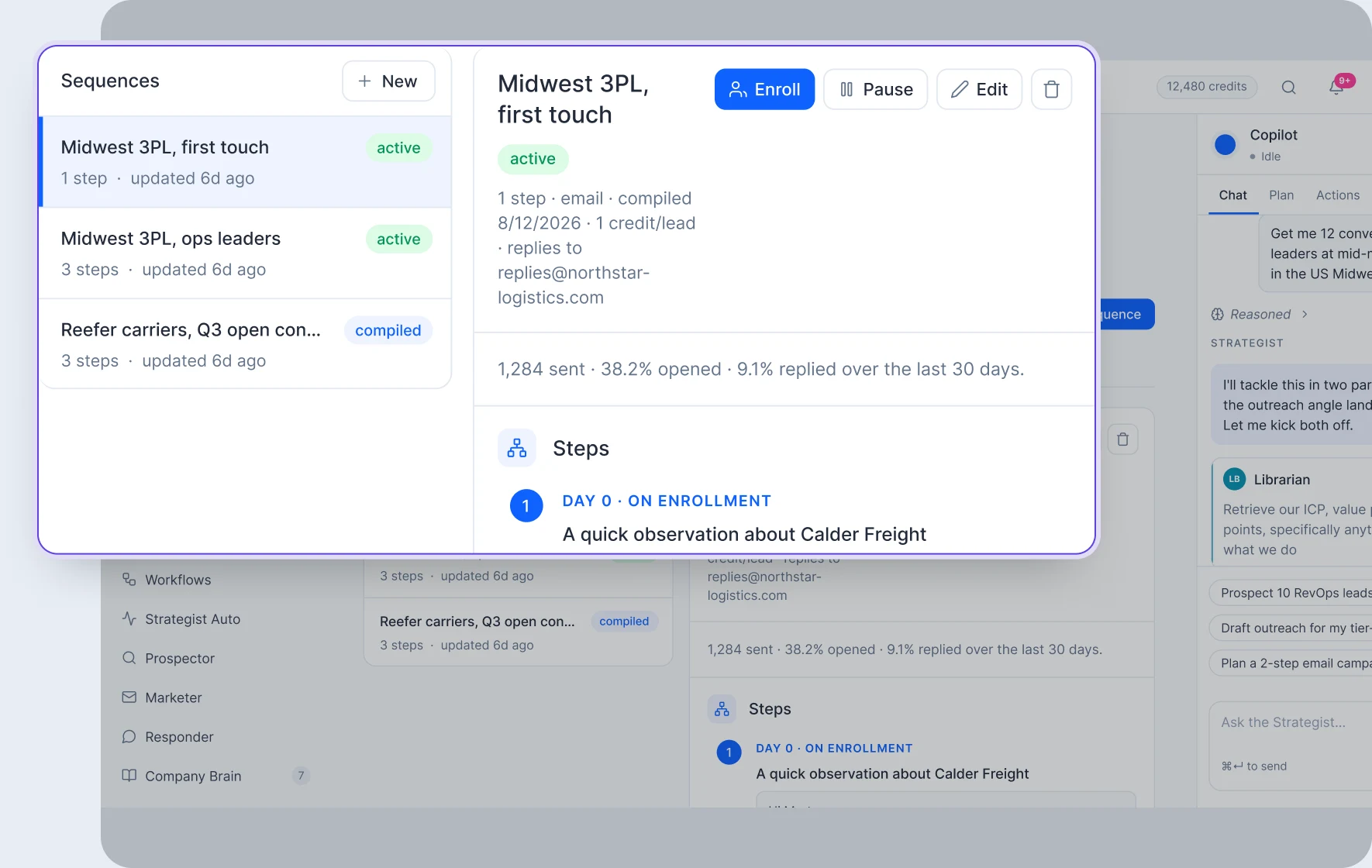
Up to twenty steps, each with its own subject, body and delay. It compiles down to the same engine the rest of the platform runs on.
Warmup and daily caps are checked at send time, not advertised.
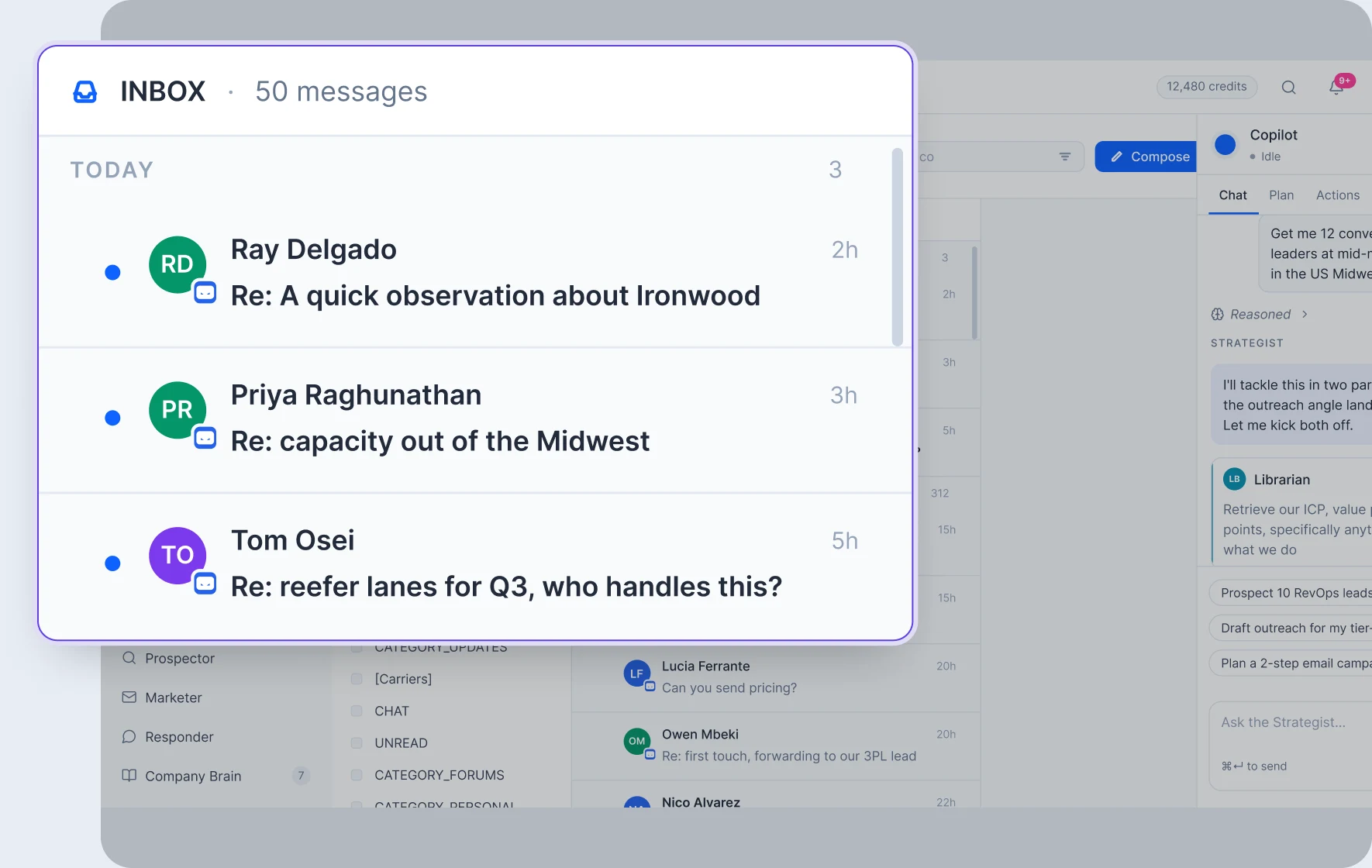
Connect Gmail, Outlook, LinkedIn or IMAP. Replies from the same person collapse into one conversation, and every send is stamped on that lead's history.
Credentials never touch Vortel. Connection is a provider-hosted flow.
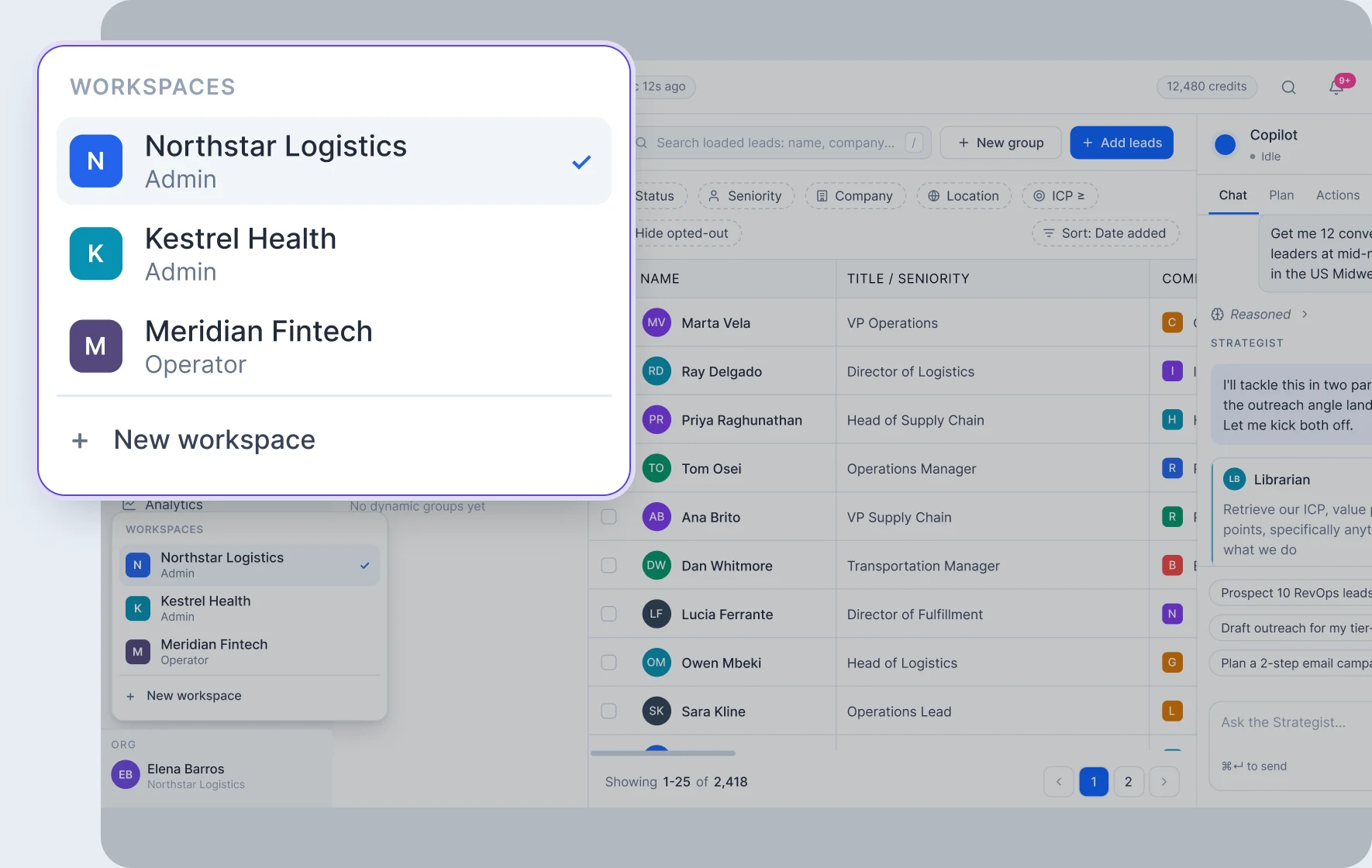
Each client gets its own Brain, its own limits, its own domains and its own autonomy level. One person can hold a different role in each.
Isolation runs on every query, every cache key, every provider call.
Six specialized agents working together across one connected system.
Strategist
The one you talk to.
vortel
®
Prospector
Builds the list.
vortel
®
Librarian
Keeps your Brain current.
vortel
®
Marketer
Writes the message.
vortel
®
Operator
Builds the workflow.
vortel
®
Responder
Handles the reply.
vortel
®
Turns your revenue goal into a plan using your Company Brain, live data, lead context, and campaign history.
Works in Copilot mode or executes autonomously within your rules. Coordinates the specialist agents, delegating prospecting, research, content, and workflow execution as needed.
Approval gates, policies, autonomy settings, and a stop control determine what it can execute independently.
Searches through vast amounts of company and people data to find the strongest matches for your ICP.
Starts with the right companies, then identifies the people, roles, and characteristics that fit your criteria.
Sizes the market before data spend and continuously builds qualified target lists. Enriches missing contact information through a waterfall across email and phone data.
Manages Company Brain knowledge across ICP, personas, product, value proposition, proof, pricing, tone, objections, and company knowledge.
Researches the web with citations and creates, updates, moves, and organizes knowledge documents.
Version history keep production knowledge current.
Retrieves the relevant knowledge agents need without requiring them to search the entire library.
Works through your Company Brain, tone, goals, positioning, proof, and objections to understand what your message needs to accomplish.
Then checks each lead's context, background, activity, and conversation history to tailor the message to the person.
Creates email and LinkedIn messaging for initial reach outs, follow-ups, and workflows.
It keeps every step connected so the right action happens at the right time, without you having to manage the workflow manually.
Turns your goal into a complete, executable workflow, determining the actions, sequence, timing, data, conditions, and dependencies.
Builds and compiles the workflow while validating its logic, variables, and safeguards before it runs.
Once activated, it manages the motion, including triggers, delays, conditions, retries, and execution.
Reads the full conversation, lead history, and Company Brain to understand what the prospect needs next.
It can respond, draft a reply, hand off to a human, or move the conversation toward a meeting.
Checks policy controls before acting, including any reply limits, opt-outs, cooldowns or sensitive topics.
When a meeting is the right next step, it checks real calendar availability and books it directly.
COMPANY BRAIN
Every message is written against your Brain, and the agents that read it also keep it current.
One generalist would need every tool. Six specialists each hold only the tools their job requires.

vortel®

vortel®

vortel®

vortel®

vortel®

vortel®
You state the goal. It plans the motion and hands each piece to the specialist that owns it: the list, the research, the copy, the workflow. It streams its reasoning as it works, and every send parks at your gate first.
It searches companies first, then the people inside them. That is how real ABM works. Sizing a segment is free and cached, so you can refine an ICP as many times as it takes before spending a credit.
It keeps the Company Brain current: writes and updates typed documents, and pulls live facts off the open web with citations attached. Every other agent reads what it wrote before writing a word.
Before it writes, it reads the lead, their history and the open thread, then drafts against your ICP, proof, pricing and tone. A follow-up references what actually happened, not a template.
Describe the campaign in plain English and it builds the workflow, then loops on the compiler's own errors until the thing is valid. You get a workflow that runs, not one that looks plausible.
When a lead replies, it reads the whole thread, grounds itself in the Brain, and does the next right thing: answers, books the meeting, or leaves a draft. Every run passes a policy gate before a token is spent.
Every message is written against your Brain, and the agents that read it also keep it current.
COMPANY KNOWLEDGE
OBJECTION HANDLING
TONE & STYLE GUIDE
PRICING &
PACKAGING
CASE STUDY
VALUE PROP
PRODUCT
PERSONA
ICP
One credit ledger. One workflow engine. One audit trail.
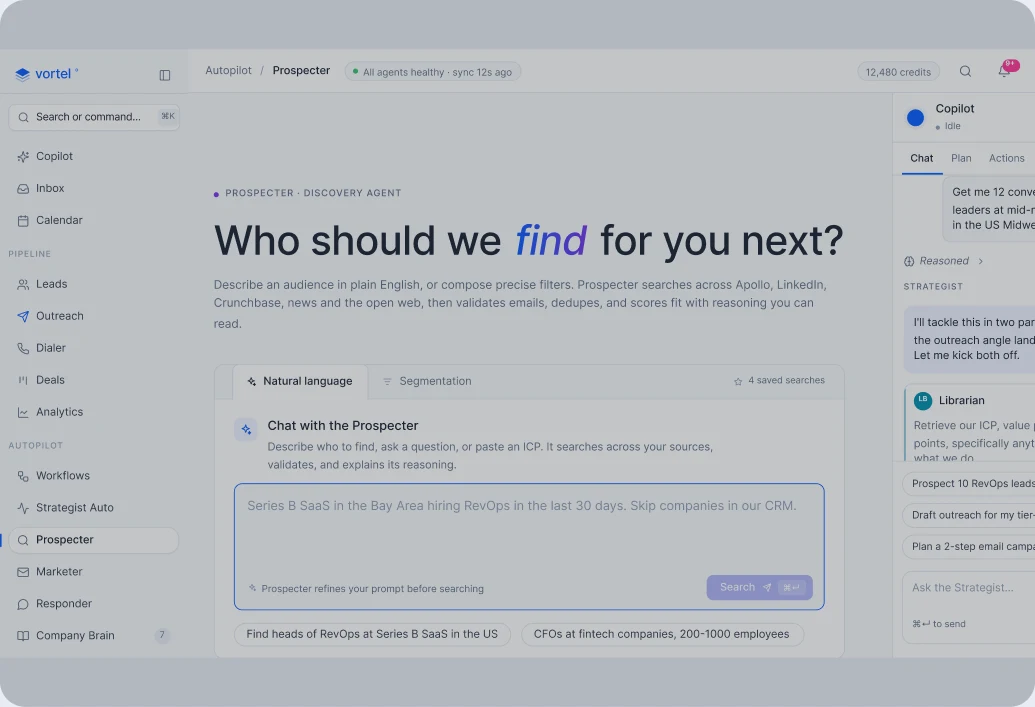
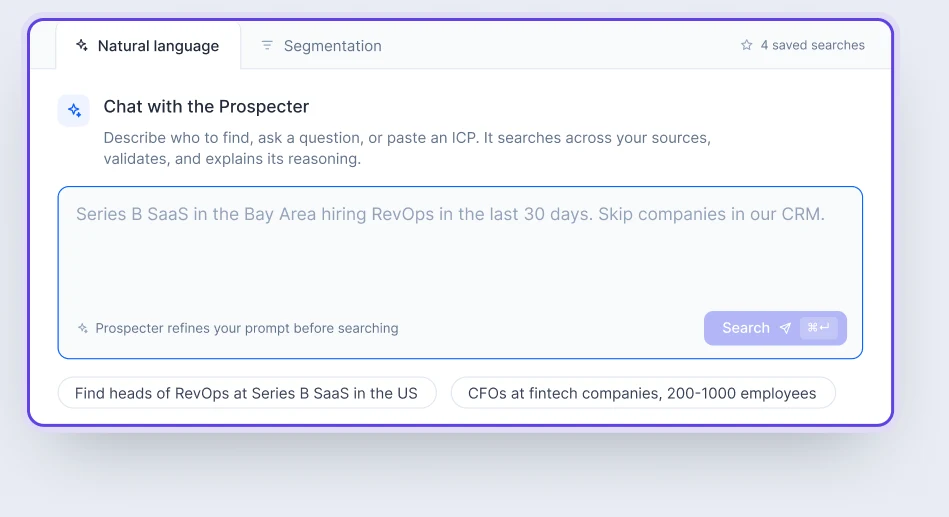
Ask how many companies match your ICP as many times as it takes. Sizing is free. Then search companies first, and the people inside them second.
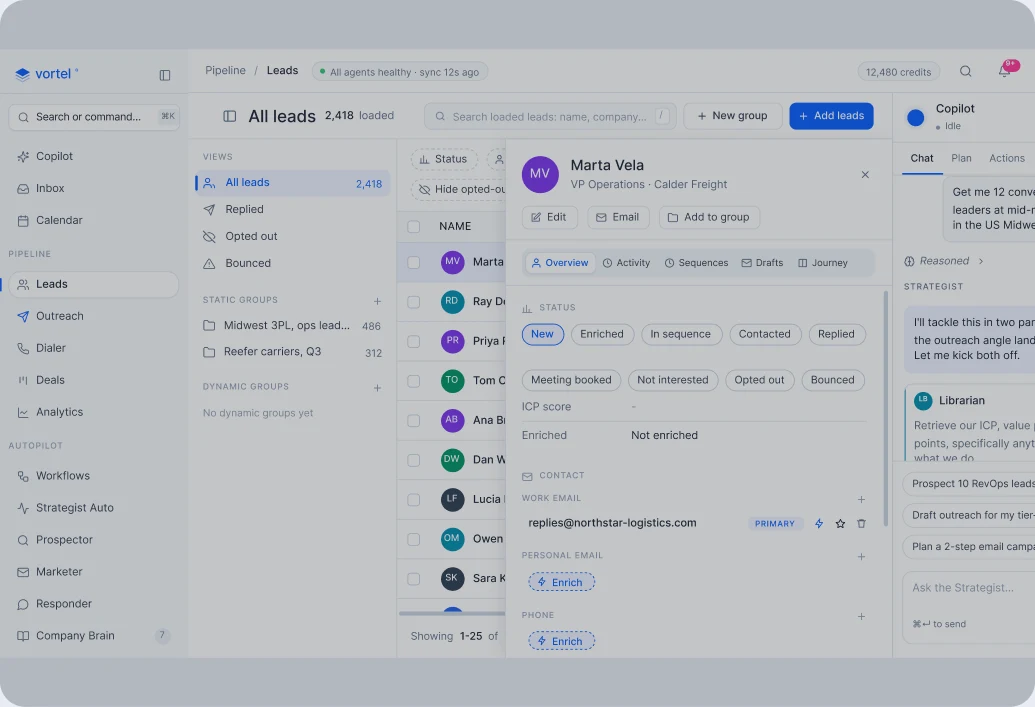
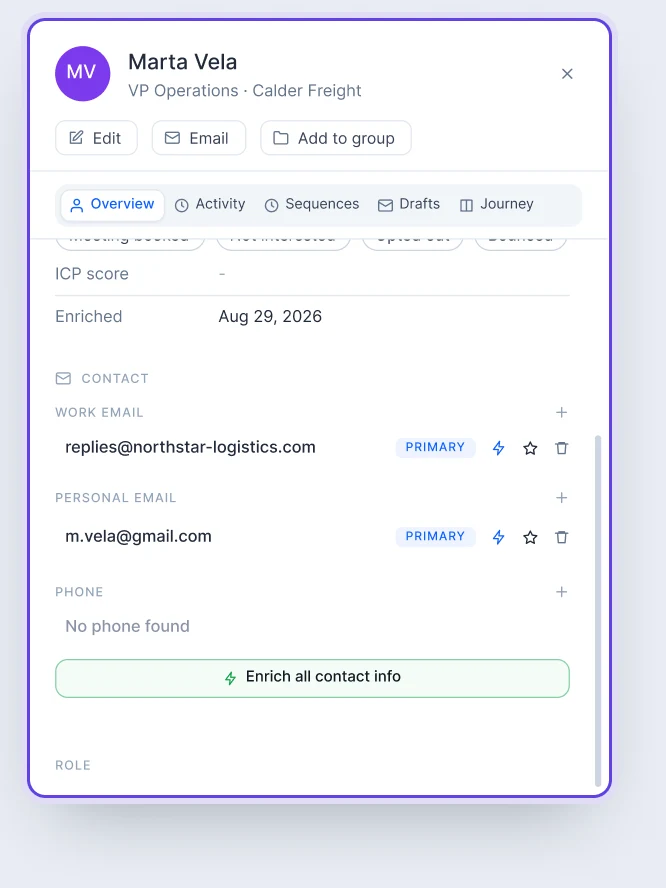
Open a lead and the whole file is there: status, ICP fit, activity and thread. Waterfall enrichment fills work email, personal email and phone.
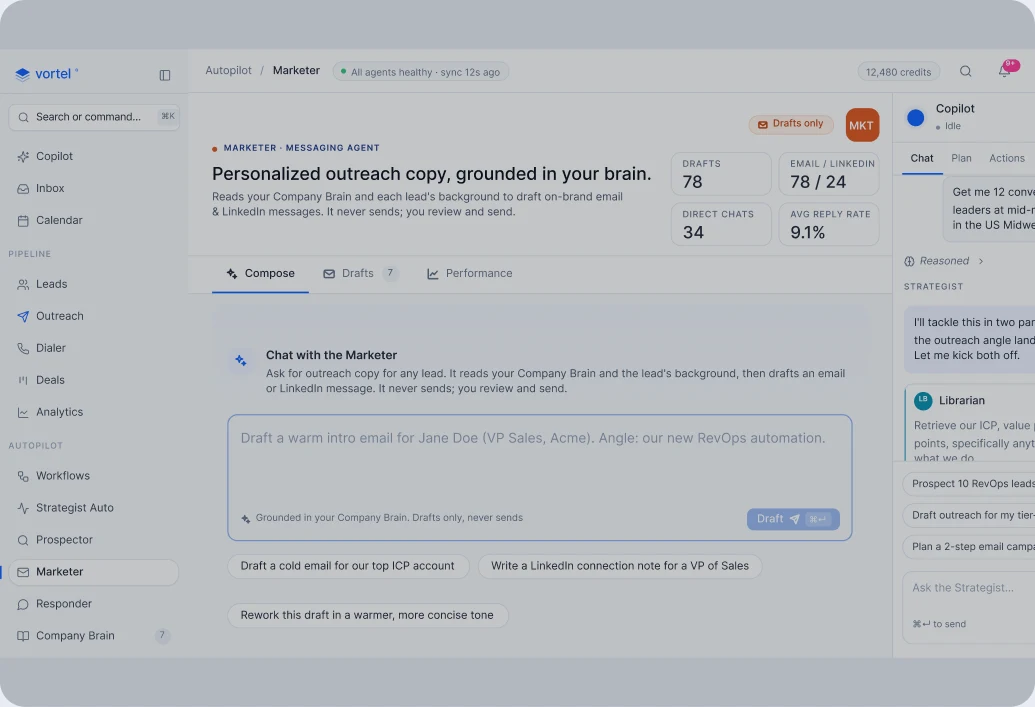
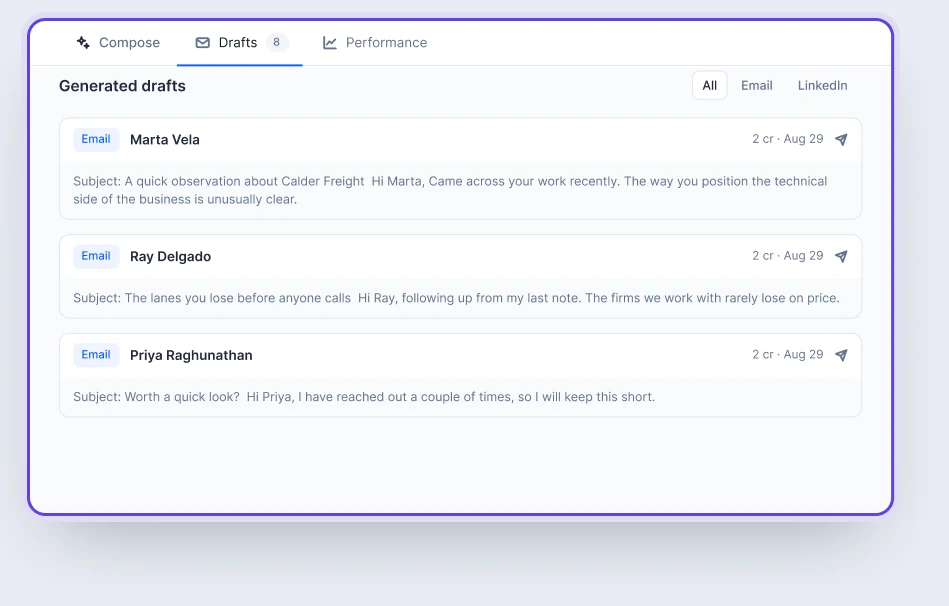
The Marketer opens the lead, the activity history and the existing thread, then writes against your live Brain documents. Every draft lands in a queue.
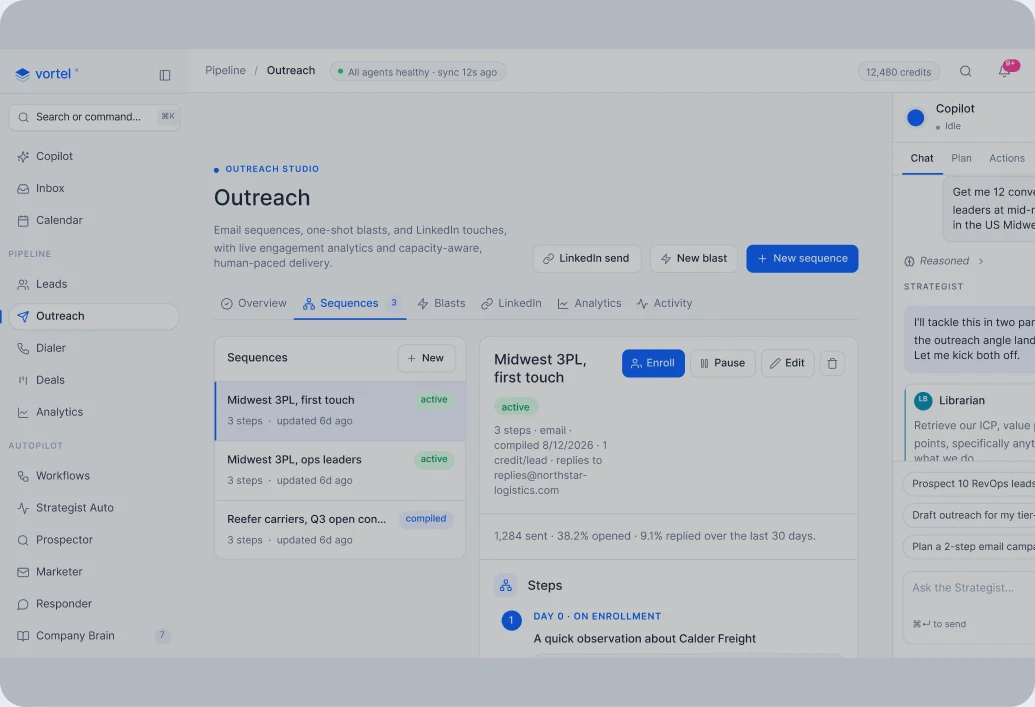
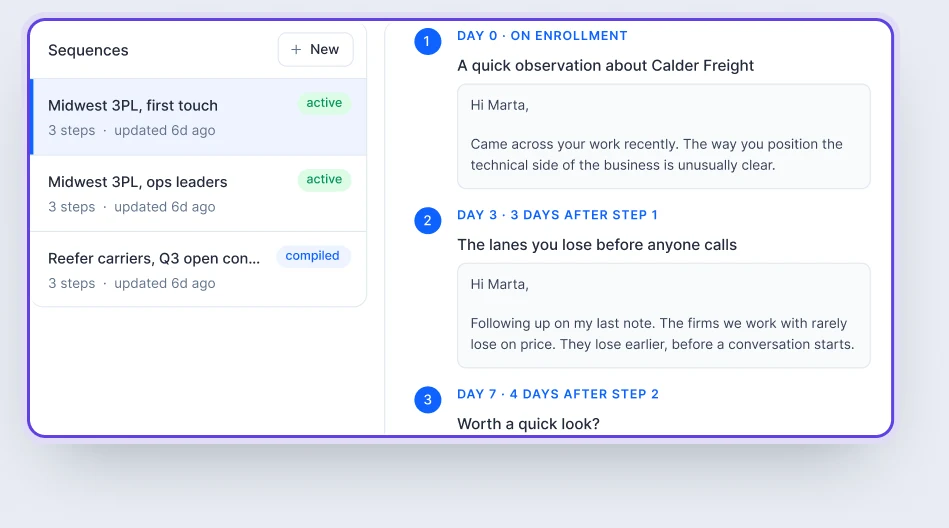
Up to twenty steps, each with its own subject, body and delay. It compiles down to the same engine the rest of the platform runs on.
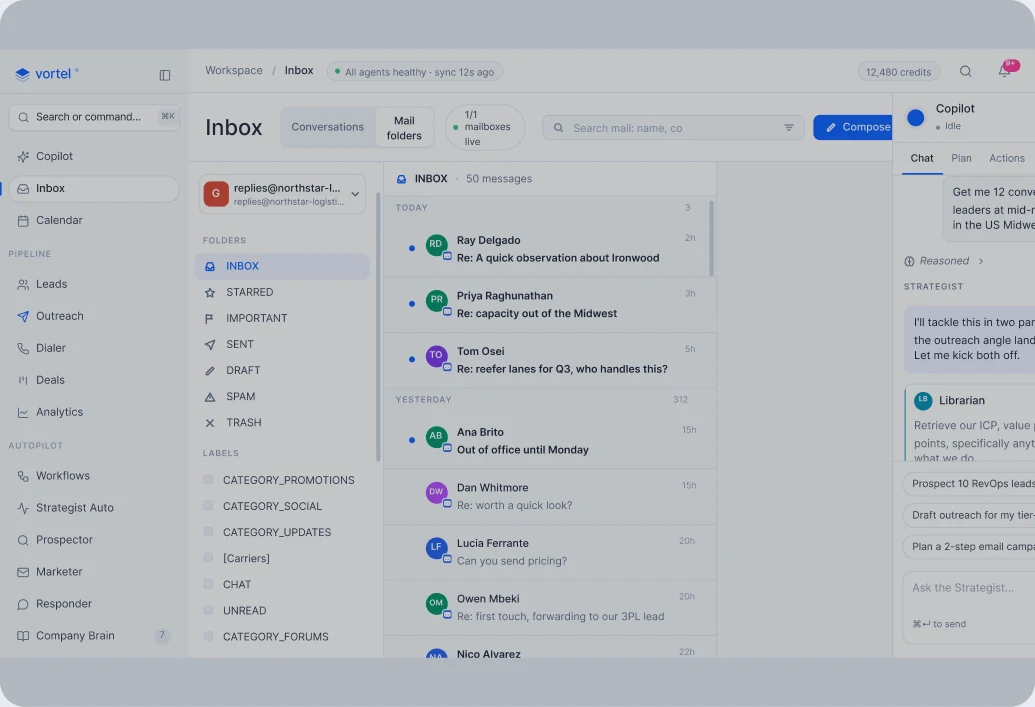
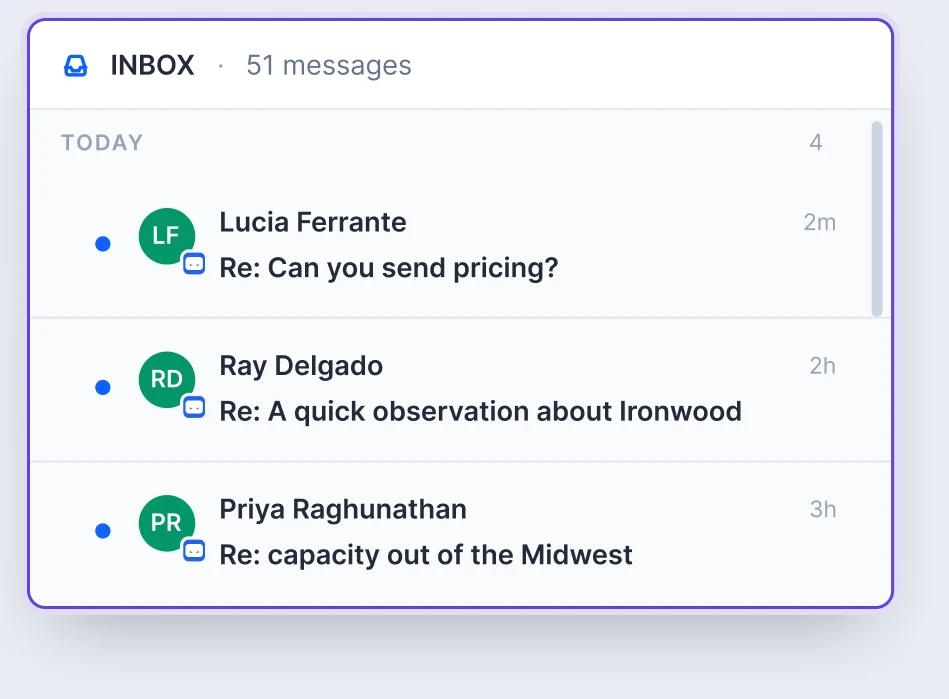
Connect Gmail, Outlook, LinkedIn or IMAP. Replies from the same person collapse into one conversation, and every send is stamped on that lead's history.
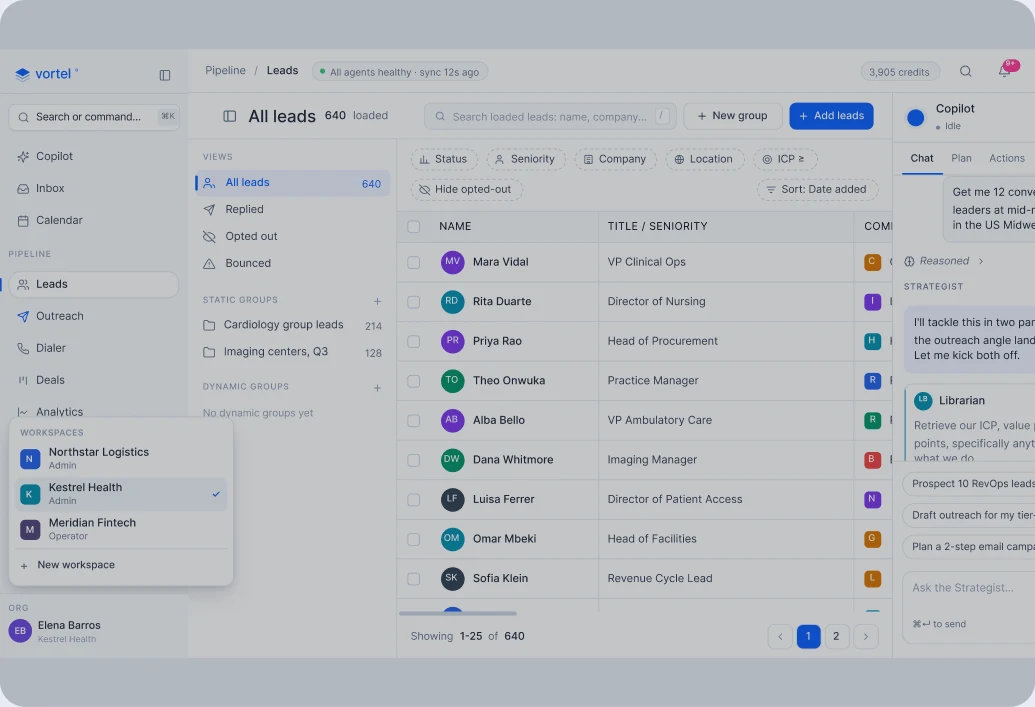
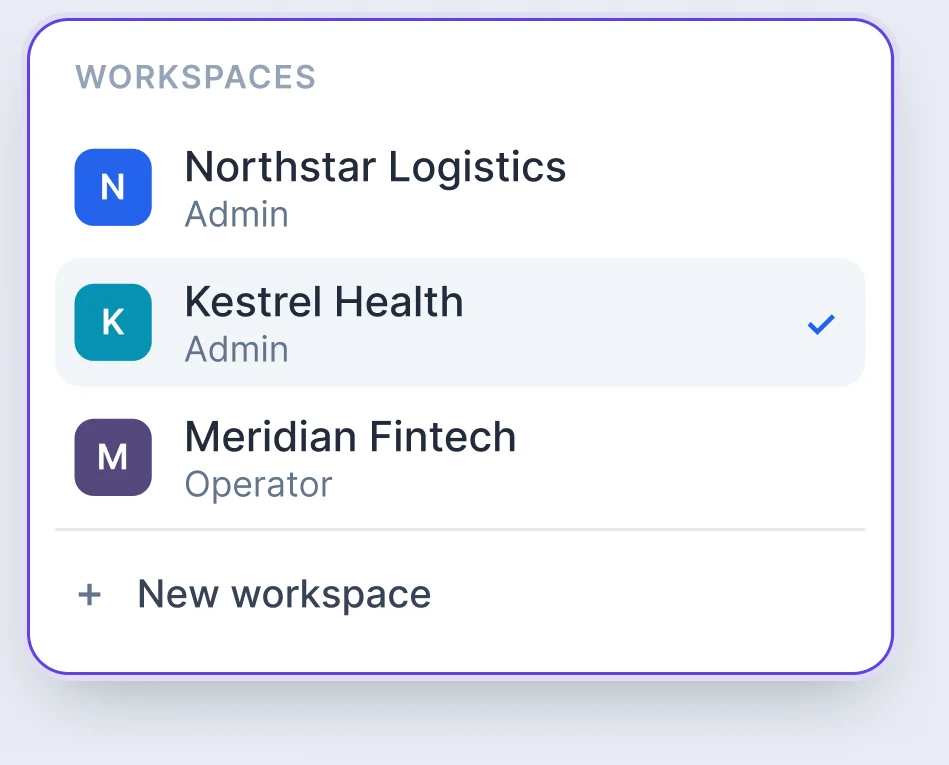
Each client gets its own Brain, its own limits, its own domains and its own autonomy level. One person can hold a different role in each.
One generalist would need every tool. Six specialists each hold only the tools their job requires.
vortel®
vortel®
vortel®
vortel®
vortel®
vortel®
You state the goal. It plans the motion and hands each piece to the specialist that owns it: the list, the research, the copy, the workflow. It streams its reasoning as it works, and every send parks at your gate first.
It searches companies first, then the people inside them. That is how real ABM works. Sizing a segment is free and cached, so you can refine an ICP as many times as it takes before spending a credit.
It keeps the Company Brain current: writes and updates typed documents, and pulls live facts off the open web with citations attached. Every other agent reads what it wrote before writing a word.
Before it writes, it reads the lead, their history and the open thread, then drafts against your ICP, proof, pricing and tone. A follow-up references what actually happened, not a template.
Describe the campaign in plain English and it builds the workflow, then loops on the compiler's own errors until the thing is valid. You get a workflow that runs, not one that looks plausible.
When a lead replies, it reads the whole thread, grounds itself in the Brain, and does the next right thing: answers, books the meeting, or leaves a draft. Every run passes a policy gate before a token is spent.
Every message is written against your Brain, and the agents that read it also keep it current.
COMPANY KNOWLEDGE
OBJECTION HANDLING
TONE & STYLE GUIDE
PRICING &
PACKAGING
CASE STUDY
VALUE PROP
PRODUCT
PERSONA
ICP
Sent, delivered, replied, booked, and what each one cost. Every action Vortel takes lands in a report you can read in a minute, so you know what it did for you and how well it worked.
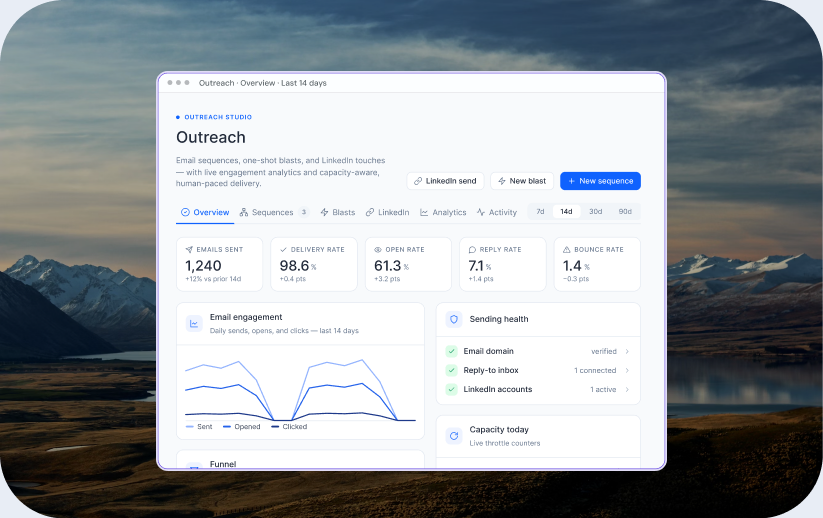
Three things: a Company Brain with published documents, a sending domain, and a connected LinkedIn account. The brain is the one that changes the output. With nothing published, the agents have nothing to read and the writing comes out generic, with no error on screen to tell you. The domain and the account are where sending happens from, and the reputation you build on them stays yours.
Point the Librarian at your website and it drafts the brain for you: your ICP, your personas, your value proposition, your proof, your objection handling and your tone. From there you edit it, hand it documents you already have, or ask it to write one from a transcript. Eight document types, each with its own schema, each versioned on every save. Only published documents ground production copy, and reading or writing the brain costs no credits.
Think of an office where each person has one job. The Strategist is the one you talk to: you give it the objective and it delegates. The Prospector builds the list, companies first and then the people inside them. The Librarian curates your brain. The Marketer writes, and it has no send tool at all, which is architecture and not a setting you could leave off by accident. The Operator turns plain English into a workflow that compiles. The Responder handles the reply, off by default and draft only until you say otherwise.
No. Most days you only talk to the Strategist and it pulls in whoever it needs. If you would rather go straight to the agent you want, you can: ask the Prospector for a list and stop there. Your CRM stays where it is. And none of this replaces your team. Vortel runs the work that happens before a conversation exists; the conversation is yours.
You click, and Vortel dials. It rings your phone first, then the lead, bridges the two, records the call, transcribes it and writes the outcome back to the lead. What it will not do is speak for you. The conversation is a rep action and it stays that way. Email, LinkedIn and the phone all run from your own accounts and land in one log.
The platform tells you its own state: anything in beta or still in development says so where you find it, instead of failing quietly. What is coming next is the part people ask for most: missions you configure once, where you choose which agents may run and set a ceiling on what they can spend, and the run reports back to you while it works.
You write what you want in plain English and the Strategist takes it from there. ‘Find heads of RevOps at Series B SaaS in the US, then draft a first touch for each one.’ It delegates, comes back with what it found and what it wrote, and stops where the decision belongs to a person.
Every agent already runs inside a ceiling you do not have to think about. The Prospector cannot pull more than your workspace allows, so one call cannot burn a month. The Marketer cannot send at all. The Responder stays off until you turn it on. Choosing the roster yourself, mission by mission, with a budget you set, is what comes next.
Run the whole outbound motion on one governed system, and keep the part only you can do.
Eliminate the nine month hiring risk. Run the pipeline of a full department with one system for the whole motion.
Eliminate the nine month hiring risk. Run the pipeline of a full department with one system for the whole motion.
Stop managing tools.
Start directing revenue.